



Virtual reality is not magic. It is mathematics, optics, engineering, and human perception working together. Marketing headlines promise immersion. But immersion is built from numbers. Refresh rates. Resolution per eye. Tracking latency. These are not boring technical details. They are the foundation of presence. When you understand VR Technical Specs, you stop guessing. You start choosing with confidence. As someone who has tested entry-level headsets and professional rigs for development labs, I can say this clearly. The difference between “wow” and “headache” often comes down to specs hidden in small print. A headset may look futuristic. But if the refresh rate is unstable or tracking drifts, the illusion collapses. Knowing how to compare specs protects your investment and your comfort.
Display Architecture and Visual Fidelity
The display is your window into virtual worlds. Every pixel shapes realism. Every frame affects motion comfort. If you ignore display specifications, you risk paying for hype instead of clarity.
Resolution Per Eye and Pixel Density
Manufacturers often advertise combined resolution. It sounds impressive. But what truly matters is resolution per eye. VR renders separate images for each eye to create depth. If each eye has low pixel density, you will notice softness. You may even see the screen-door effect, where gaps between pixels become visible. Pixel density measured in pixels per degree tells you more about clarity than total resolution alone. A higher resolution headset without optimized lenses can still look blurry at the edges. In my professional testing experience, clarity improves when resolution and lens design are balanced. Numbers alone do not guarantee realism. Integration does.
Refresh Rate and Motion Fluidity
Virtual reality must feel natural. Human vision detects subtle motion inconsistencies. A 60Hz display may work for a monitor. In VR, it often feels uncomfortable. Ninety hertz is widely accepted as the baseline for smooth movement. Competitive gamers prefer 120Hz or higher for reduced motion blur and faster response. Higher refresh rates lower the risk of motion sickness because the world updates faster with your head movement. The smoother the refresh cycle, the more believable the experience becomes. When evaluating VR Technical Specs, never treat refresh rate as optional. It directly affects comfort.
Field of View and Immersion Depth
Field of view determines how wide your virtual vision feels. A narrow field of view creates a binocular effect. It reminds you that you are wearing a headset. A wider field expands peripheral awareness. It increases immersion and situational awareness in fast-paced games. However, increasing field of view requires careful optical engineering. Stretching pixels too far reduces sharpness. The best headsets balance wide coverage with consistent clarity across the lens.
Panel Type: LCD vs OLED vs Mini-LED
Panel technology shapes contrast and color depth. OLED displays produce deeper blacks and stronger contrast. This makes dark environments more dramatic. LCD panels often provide sharper subpixel structures and can reduce mura effects. Mini-LED enhances brightness and local dimming. Each panel type involves trade-offs in cost and performance. From an expert standpoint, OLED often feels more cinematic. LCD can appear sharper in text-heavy applications. The right choice depends on your primary usage. Gaming, simulation, productivity, or development testing.
Optics and Lens Engineering
Display panels mean nothing without strong optics. Lenses focus the image and define edge clarity. Older Fresnel lenses are lightweight but can produce glare or god rays around bright objects. Newer pancake lenses are thinner and reduce visual artifacts. They also allow slimmer headset designs. Interpupillary distance adjustment is another critical factor. If the lenses do not align with your eyes, clarity drops instantly. Mechanical IPD sliders offer precise adjustment. Fixed settings limit flexibility. Eye comfort depends heavily on correct alignment. In long sessions, even minor misalignment causes fatigue. When comparing VR Technical Specs, lens design deserves as much attention as resolution.
Tracking Systems and Positional Accuracy
Tracking determines how accurately the virtual world responds to your movement. Even small delays break immersion.
Inside-Out Tracking Technology
Inside-out tracking uses cameras built into the headset. It maps your environment in real time. This method is convenient and portable. Setup is simple. There are no external sensors. However, tracking quality depends on lighting conditions and environmental contrast. In dim spaces, performance may degrade. For most home users, inside-out tracking provides reliable accuracy.
Outside-In Tracking Systems
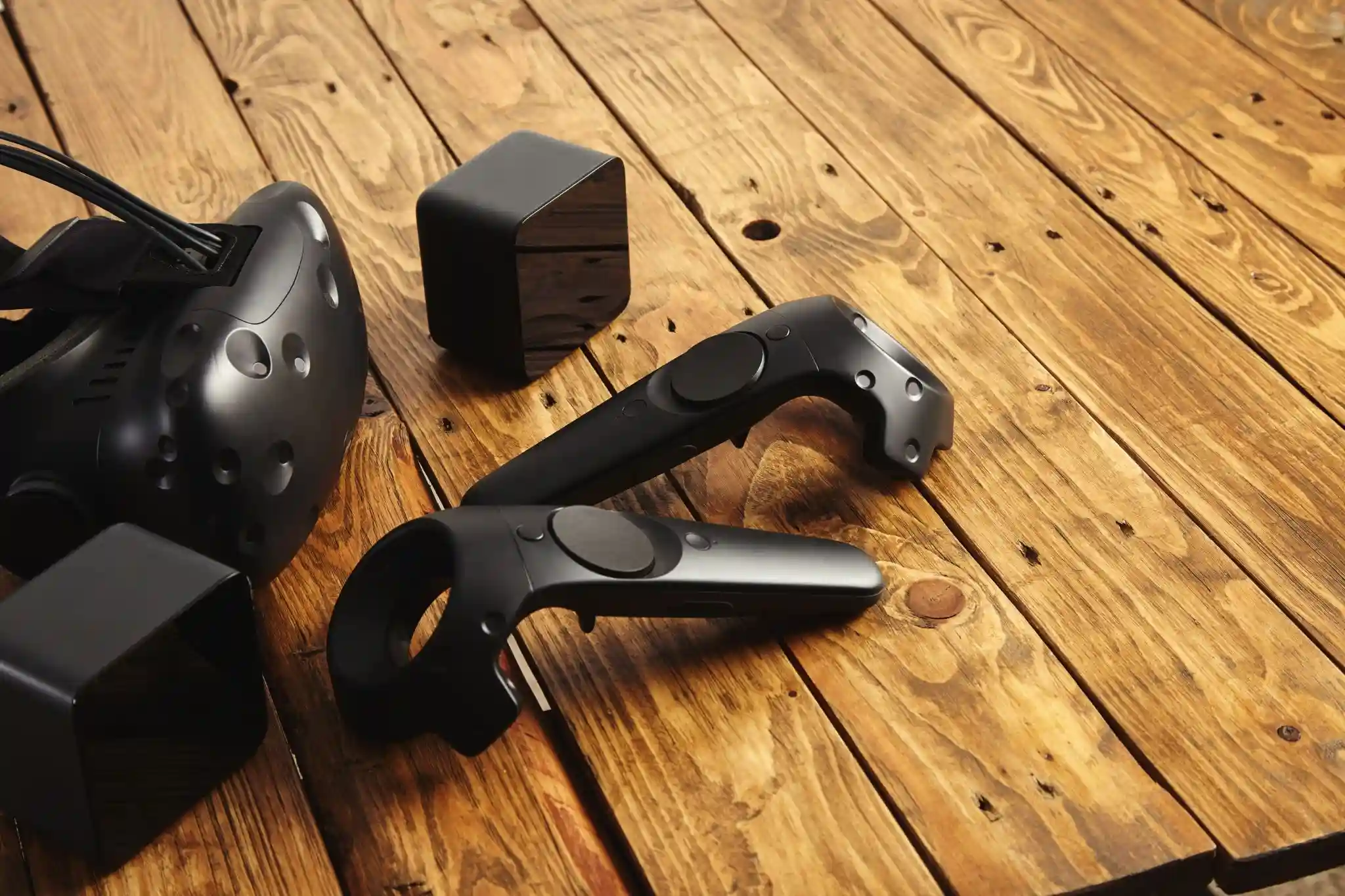
Outside-in systems rely on base stations placed in the room. These external sensors track headset and controller positions with remarkable precision. They are often preferred in professional simulation labs and competitive VR gaming setups. Installation requires more effort. But the positional accuracy can be superior. When precision matters, such as in VR development or motion capture experiments, external tracking systems often perform better.
Controller Tracking and Hand Presence
Controllers are extensions of your hands. Latency and drift reduce realism. Advanced controllers use capacitive sensors for finger detection. Some systems support full hand tracking without controllers. This enhances immersion in creative or social applications. When comparing VR Technical Specs, look for tracking frequency, sensor type, and controller ergonomics. Realistic interaction depends on these invisible systems.
Processing Power and Performance Requirements
Standalone headsets integrate mobile processors. They offer portability. But graphical performance is limited by onboard chips. PC-tethered systems rely on desktop GPUs. They deliver higher fidelity. The trade-off is mobility. If you plan to run demanding simulation software or graphically intense games, PC VR may provide better long-term value. Always compare minimum and recommended hardware requirements. Underpowered systems create frame drops. Frame drops cause discomfort. Performance consistency matters more than peak numbers.
Connectivity and Data Transmission
How data travels from source to headset influences latency and image quality.
Wired connections like DisplayPort provide stable bandwidth. They reduce compression artifacts. USB-C connections simplify setup but vary in data throughput. Wireless streaming over Wi-Fi 6 or 6E allows freedom of movement. Yet wireless introduces compression. A strong router is essential. In professional testing environments, wired setups still deliver the most consistent results. Wireless convenience is impressive. But stability wins in competitive scenarios.
Audio Systems and Spatial Sound Design
Audio completes immersion. Integrated off-ear speakers create spatial awareness without isolating you from real-world cues. High-quality spatial audio enhances depth perception. Latency between sound and motion must remain minimal. Even slight delays feel unnatural. Some users prefer dedicated headphones for stronger bass and isolation. Evaluate whether the headset supports 3.5mm audio output or advanced spatial audio engines. Sound design is not secondary. It is half the experience.
Ergonomics, Weight Distribution, and Comfort Engineering
Comfort determines how long you can stay immersed.
Some headsets use halo-style straps. Others rely on rigid harness systems. Weight distribution is more important than total weight. A balanced headset feels lighter. Poor balance strains the neck. Face padding material also matters. Breathable, removable interfaces improve hygiene and comfort. Glasses compatibility is essential for many users. Adjustable eye relief mechanisms reduce pressure and increase clarity. From experience, discomfort often ends VR sessions faster than technical limitations.
Software Ecosystem and Platform Compatibility
Hardware without software is meaningless. Some headsets operate within closed ecosystems. Others integrate with open PC VR platforms. Consider the size of the content library. Look at developer support and firmware update frequency. Strong ecosystems ensure long-term relevance. Compatibility with major game engines benefits creators. A robust software environment protects your investment beyond initial purchase.
Battery Life and Power Management
Standalone devices rely on internal batteries. Average playtime ranges from two to three hours. Charging speed affects convenience. Some systems support external battery packs for extended sessions. High performance drains power quickly. Efficient thermal management improves longevity. When comparing VR Technical Specs, do not ignore battery capacity and charging cycles. They shape daily usability.
FAQs
What VR Technical Specs matter most for gaming performance?
Refresh rate, resolution per eye, and tracking latency are critical. High refresh rates reduce motion sickness. Strong tracking ensures precision. Balanced specs create smooth, immersive gameplay without discomfort during long sessions.
Is wireless VR better than wired VR?
Wireless offers freedom of movement. Wired provides stable bandwidth and lower compression. Competitive gamers and developers often prefer wired setups for consistent performance. Casual users may value wireless convenience more.
How can I future-proof my VR headset purchase?
Look for eye tracking support, high refresh rates, strong software ecosystems, and firmware update history. Avoid focusing only on resolution. Choose adaptable hardware with long-term platform support for lasting value.